
Learning Pathway for Customer Relations
Customer Records
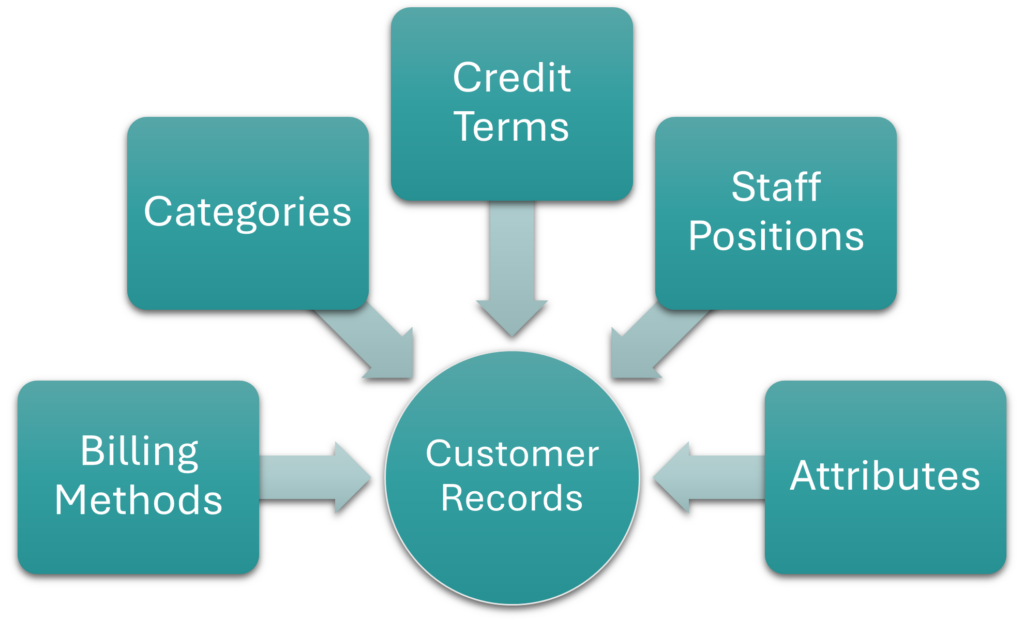
| Billing Methods | Billing methods refer to the ways in which customers must pay their accounts (e.g. debit order, EFT, SWIFT). The same billing methods are used for customers and suppliers. Billing methods: Explains the fields, buttons, and available features for displaying, creating or editing billing methods and provides step-by-step instructions for creating and editing billing methods. |
| Categories | Categories allow you to sort customers or supplier records and transactions for reporting purposes. The same categories are used for customers and suppliers. However, they can be differentiated by using prefixes. Categories: Step-by-step instructions for creating categories. |
| Credit Terms | Credit terms are the payment terms offered to customers. The same credit terms are used for customers and suppliers. Credit terms: Explains the fields, buttons, and available features for displaying, creating, or editing credit terms and provides step-by-step instructions for creating and editing credit terms. |
| Positions | Positions allow you to identify the people working for customers (e.g. Accounts, Rep, CEO). The same positions are used for customers and suppliers. Positions: Step-by-step instructions for creating positions. |
| Attribute Sets Entities | Attributes are used to capture additional information such as currencies, bank details, and addresses. Attribute Sets Entities: Lists all the available attribute sets that can be added to customer records. |
| Custom Attributes | Custom Attributes can be created to capture bespoke information on customers. Custom Attributes: Step-by-step instructions for creating custom attributes and adding them to customer records (contacts). |
| Customer Records | All the customers’ static information. Customers are part of Contacts. Customer Records List and Edit Views: Explains the fields, buttons, and additional features available when creating or editing customer records. Customer Records Tutorials: Step-by-step instructions for displaying, creating, editing, and deleting customer records. |
Contacts
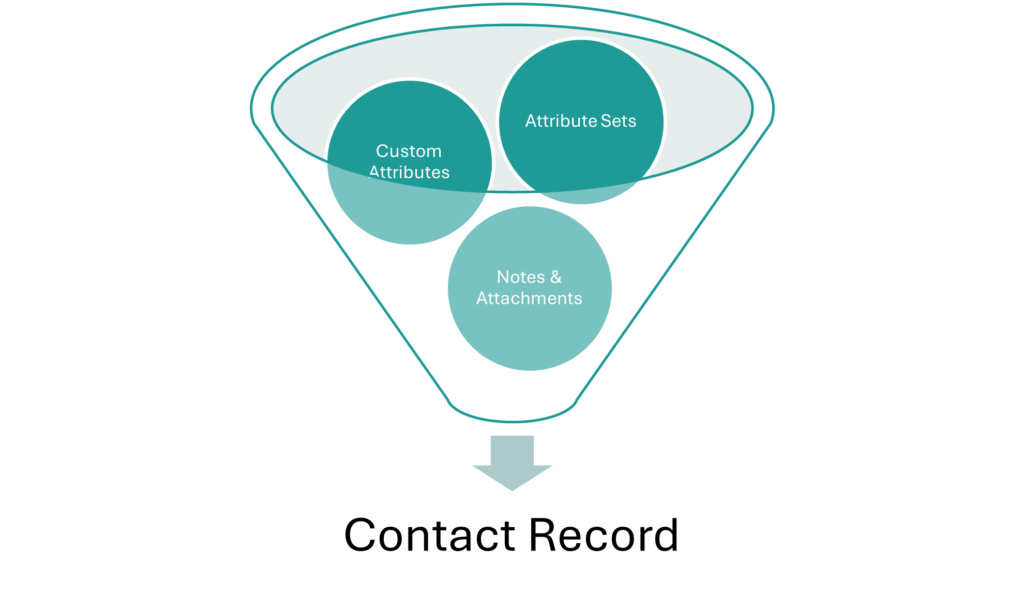
| Contacts | Contacts is a central database of all the customer, supplier, and staff records. The contacts module allows you to identify and capture additional information on staff working for customers. Contacts Default View: Explains the fields, buttons, and available features for displaying a list of contacts. Contacts Addresses View: Explains the fields, buttons, and available features for displaying a list of contacts’ addresses. Contacts Edit View: Explains the fields, buttons, and available features for creating or editing contacts. Contacts Tutorials Creating and Editing: Step-by-step instructions for creating and editing contact records. Contacts Tutorials Viewing: Step-by-step instructions for using the related functions when displaying contact lists. |
Customer Age Analysis and Statements
| Customer Age Analysis and Ledger | The customer age analysis and ledger which are part of the same interface. Customer Age Analysis and Statements: Explains the fields, buttons, and available features for displaying the customer age analysis and generating statements. Customer Detailed Ledger: Explains the fields, buttons, and available features for displaying the customer ledger. Customer Age Analysis and Ledger Tutorials: Step-by-step instructions for displaying the customer age analysis and ledger and using the available features. |
Mobile App
| Mobile App | Customer information can be viewed and edited from a browser using the Mobile App. Mobile App Interface: Explains the fields, buttons, and available features for using the Mobile app. Mobile App General Functions Tutorials: Step-by-step instructions for using the Mobile app. Mobile App CRM Interface and Tutorials: Step-by-step instructions for using the customer-relationship features on the Mobile app. |
Service Manager (Service Types and Service Tickets)
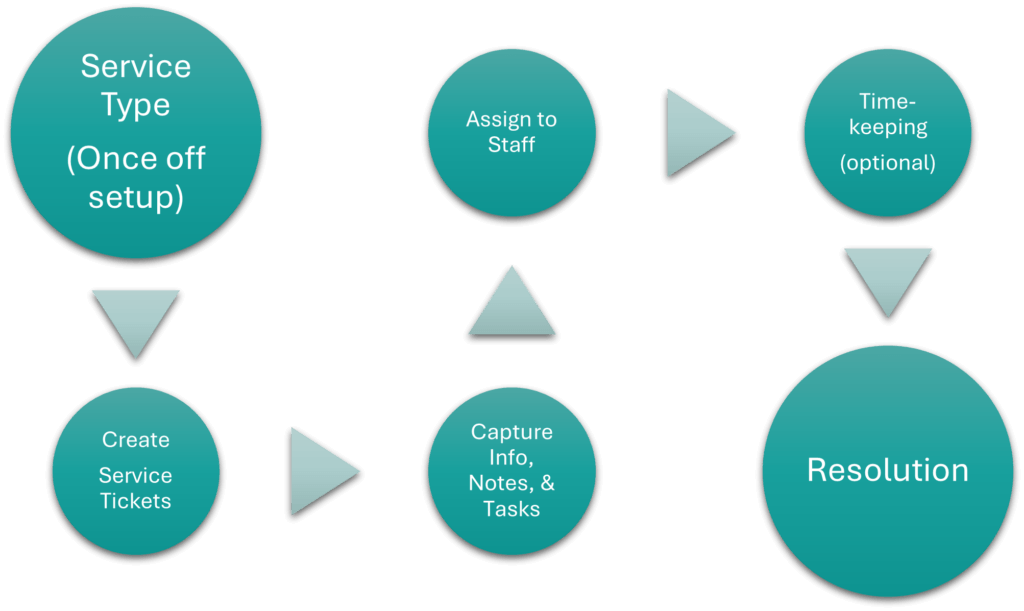
| Service Manager | The Service Manager can be used to follow up sales leads. It can also be used to create and manage tickets for customer queries. Service Types create the rules and features of service tickets. Multiple Service Types can be created (e.g. for Sales Leads, for Account Queries, and for General Customer Queries). Service Types List View Interface: Explains the fields, buttons, and available features for displaying a list of service types. Service Types Edit View Interface: Explains the fields, buttons, and available features for creating a service type. Service Types Tutorials: Step-by-step instructions for creating and editing service types. Service Tickets List View Interface: Explains the fields, buttons, and available features for displaying a list of service tickets. Service Tickets Edit View Interface: Explains the fields, buttons, and available features for creating a service ticket. Service Tickets Tutorials: Step-by-step instructions for creating, editing, and managing service tickets. |
Timekeeping
| Timekeeping | The timekeeping module can be used to record the time staff spend working on projects, tasks, or general work. Timekeeping Settings: Explains the available timekeeping settings and how to apply them. Timekeeping Edit View: Explains the fields, buttons, and available features for creating timekeeping records. Timekeeping List View: Explains the fields, buttons, and available features for displaying a list of timekeeping records. Timekeeping Tutorials: Step-by-step instructions for creating, editing, or deleting timekeeping records. Timekeeping User Access Tutorials: Step-by-step instructions for managing user access to timekeeping records. Timekeeping Statuses Tutorials: Step-by-step instructions for creating statuses for timekeeping records. |
Learn More
- Learning the Basic Functions of QuickEasy BOS: The basic features of QuickEasy BOS.
- Learning Pathway for Accountants / Bookkeepers: Entities, currencies, transactions, ledger, financial statements, and VAT.
- Learning Pathway for Creditors’ Clerks: Supplier records, reports, and transactions.
- Learning Pathway for Debtors’ Clerks: Customer records, reports, and transactions.
- Learning Pathway for Estimators: Items and estimating features.
- Learning Pathway for Human Resources: Contacts, service manager, and timekeeping.
- Learning Pathway for Production Managers: Production planning and related features.
- Learning Pathway for Project Managers: Project service tickets and related features.
- Learning Pathway for Sales Reps and Managers: Customer records and transactions, service manager for sales leads.