
Currency Settings
Overview
Module | Description |
| |
Estimates can only be done in the local currency. However, once you determine a local price you can copy the transaction to convert that price to the customer’s currency. | |
Items |
|
Organisation | Limited to one local (main) currency but can add multiple currencies for prices and transactions. |
| |
Rate of Exchange |
|
Transactions | A setting lets you choose which currencies may be used. |
Navigation: Main Menu > Setup > Accounting > Currencies (tab)
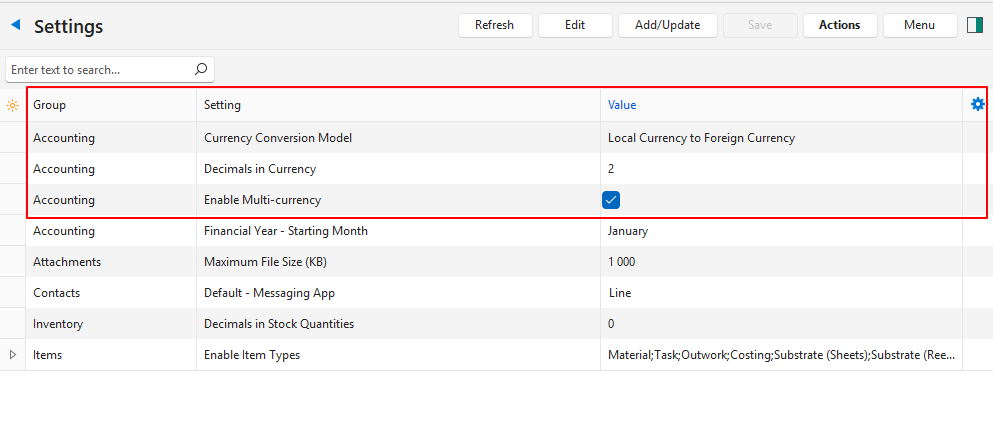
Settings
Setting | Value | Default |
Accounting > General Settings > Currency Conversion Model | Choose the currency conversion model:
| Local Currency to Foreign Currency |
Accounting > General Settings > Decimals in Currency | Select 2 or 3 from the dropdown list as the number of decimals to use when converting currencies. | 2 |
Accounting > Enable Multi-currency | Checkbox. If checked multiple currencies can be used and bank accounts are assigned specific currencies. | Unchecked |
Learn More
- Chart of Accounts Interface: Explains the interface for creating a chart of accounts.
- Chart of Accounts Tutorials: These tutorials explain how to create and edit a chart of accounts.
- Currencies List View: Explains the list of currencies’ interface and related features.
- Currency Tutorials: These tutorials explain how to setup currencies.
- Ledger List Views: Explains the various interfaces for displaying ledger transactions.
- Ledger Tutorials and Troubleshooting: These tutorials explain how to display a ledger and transactions.
- Understanding the Chart of Accounts: Explains what the chart of accounts is and how it impacts the financial statements.