
Changelogs
Changelogs are records of all the changes made to transactions and other records. Changelogs were introduced in Version 1.0.81 (June 2026) and only logs changes made after QuickEasy BOS has been upgraded to that or a higher version.
Changelogs are recorded for:
- Point of Sale
- Status Setups
- Transactions Edit View
- Transactions List View
- User Access Settings
- Users Module
Change logs can also be viewed from the Help Menu.
Buttons Explained
| Button | Description |
|---|---|
| View | Displays a list of changes. |
| Arrow on View (button) | Resets the selected data filters. |
| Output | Exports the list of changes in .xlsx, .htm or .csv format. |
| Menu | Layout |
Filters Explained
| Filter | Description |
|---|---|
| Date | A dropdown list of date options including No Date to display all the records. |
| Date Fields | Options to set custom dates. |
| Arrows | Adjusts the date in the direction of the arrow. |
Fields Explained
| Fields | Description |
|---|---|
| Field Chooser (*) | Used to add or remove columns. |
| Date | The record’s date. |
| @ | The record’s time. |
| Updated By | The user who updated the record. |
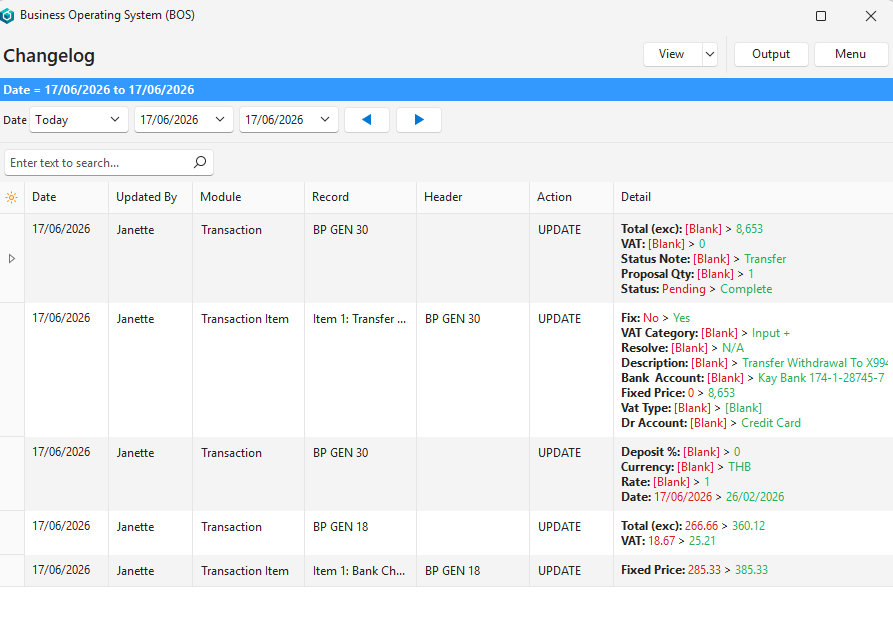
| Module | The name of the module in which the change was recorded. Only displayed if viewed from the Help menu. |
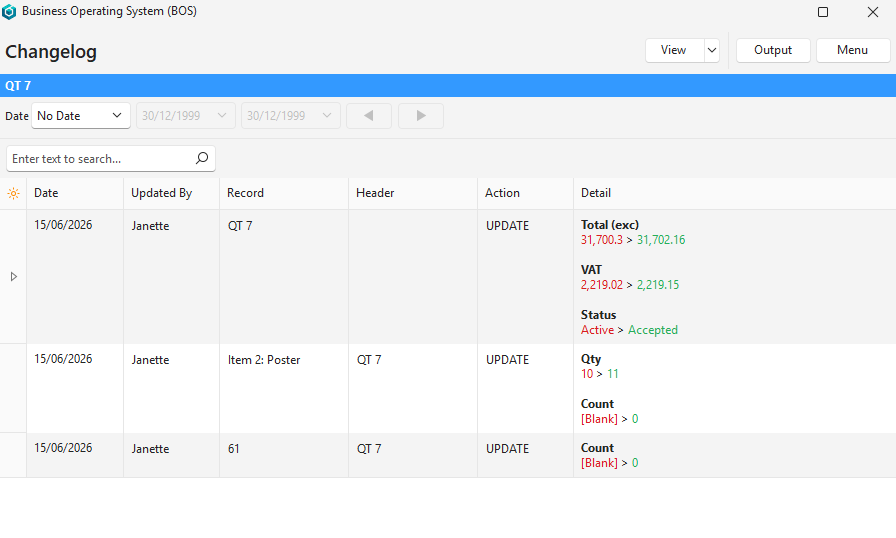
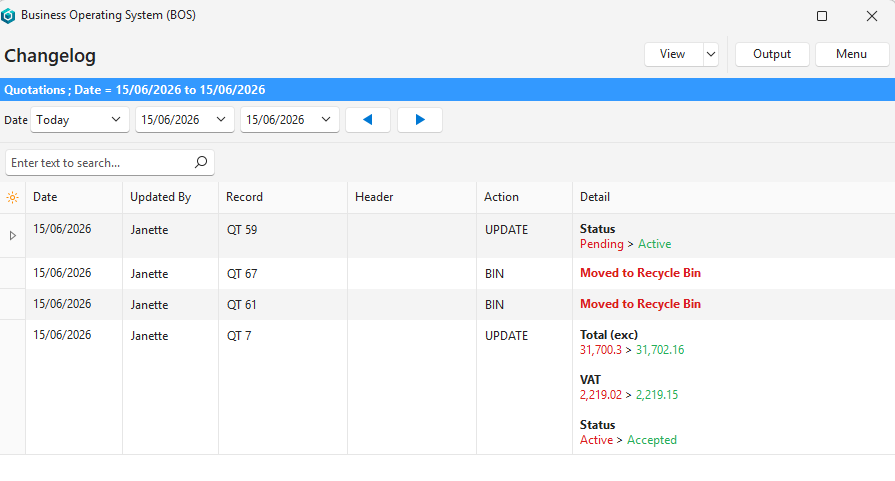
| Record | A description of the record (e.g. QT 59 or Item 2: Poster). |
| Header | The header record that was updated. |
| Action | The action that the user took (e.g. UPDATE, BIN). |
| Detail | Colour-coded details of the changes. |
Transactions Edit View Example
Transactions List View Example
Help Menu Example
How to Display a Changelog
- From the Main Menu:
- Click Help (button) > View Changelog.
- Select a date range (default: Today).
- Click View (button).
- A changelog with all the changes for the selected date range is displayed.
- From other interfaces:
- Click Menu (button) > View Changelog.
- Select a date range (default: No Date to display all the changes).
- Click View (button).
- All the edits (creation and updates) made to that module are displayed.