Transaction Examples – Customers
Where space as limited, fields (columns) with no data were hidden on the screenshots.
Quotations
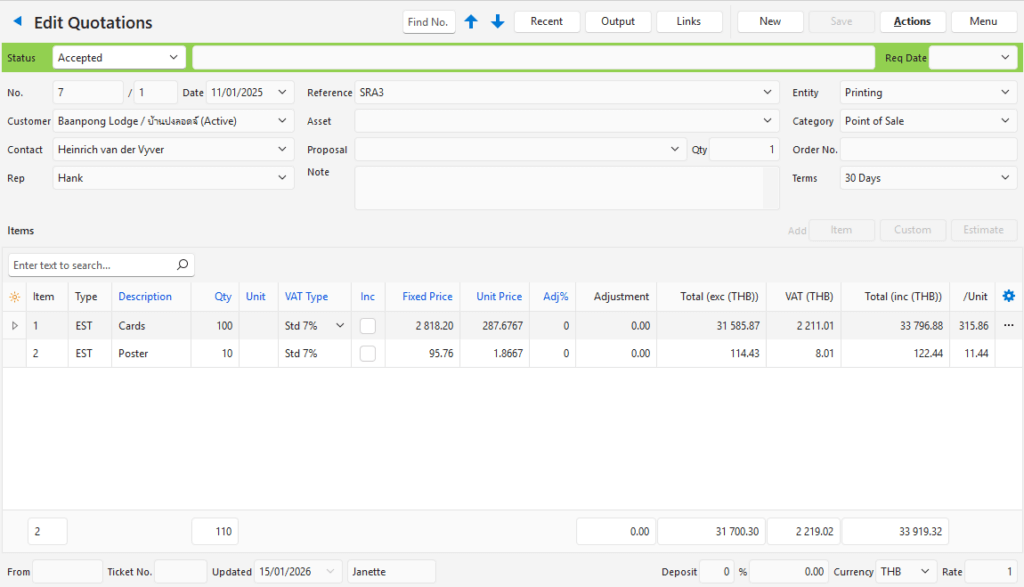
- Quotations are used to give customers an upfront price.
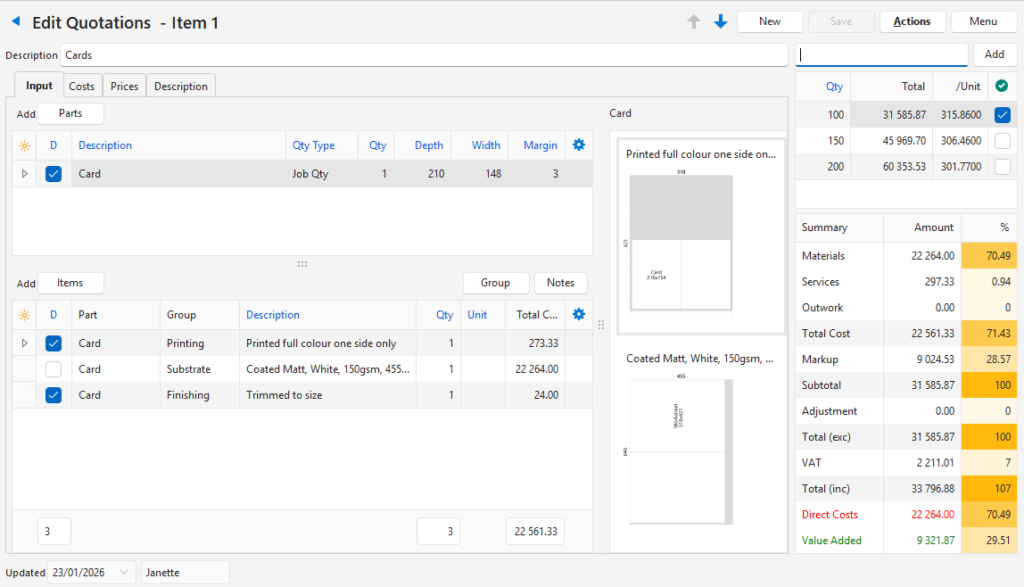
- If enabled, an Estimate can be created for every line item of a quotation.
- When a quotation is accepted, it can be copied to a sales order and from there to a work order.
- It the work order is integrated with production, the items on the linked estimate are used to manage production processes such as ordering materials and assigning tasks to create the ordered product.
- Quotations can have version numbers to allow customers more options such as brochures with different paper options, or a product with different packaging options.
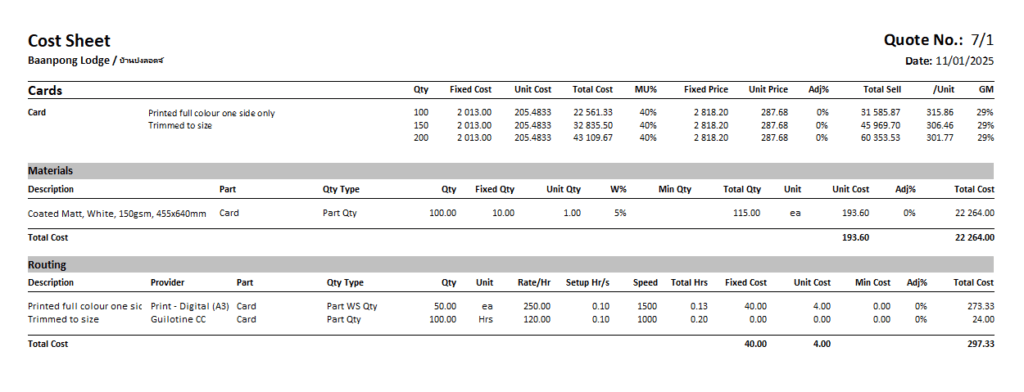
- A cost sheet can be generated for every quotation. It lists every item on the quotation with costing data.
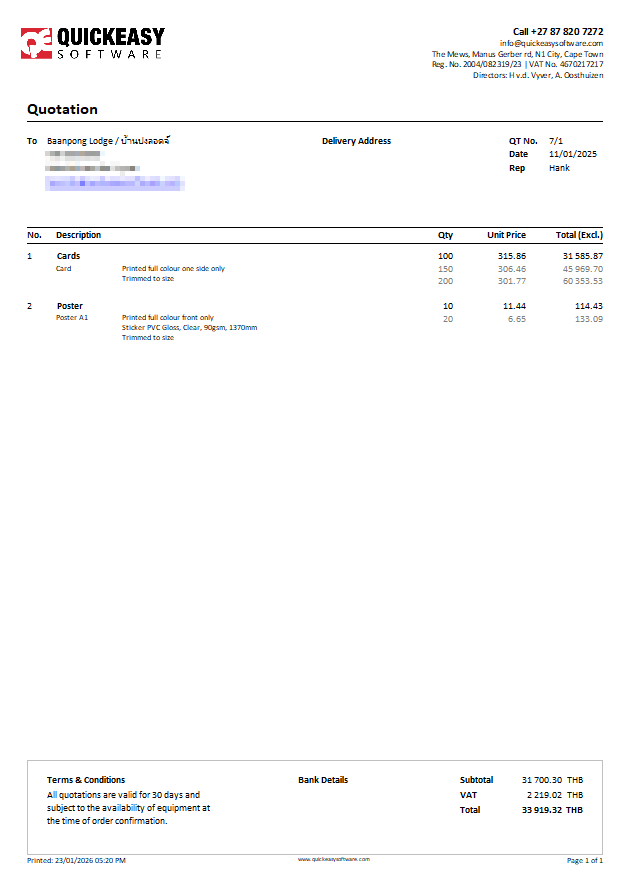
- You can add optional quantities on a quotation. You can generate a price list from these quantities to give to your customers or reps.
- On the Quotation that is distributed, active quantities are shown in black, and they determine the price of the bottom of the quotation. The other inactive quantities are displayed in grey and show customers how their price will change if they choose a different quantity.
- On the estimate, you can determine the quantity intervals by setting start and end quantities and a step size (e.g. 50 to 1000, every 50).
- If the customer decides to go with 100 instead of 50, you navigate to the linked estimate and change the Active Quantity and output the quotation again. No other changes are needed.
Linked Estimate (Line 1 on the Quotation):
Customer Invoices
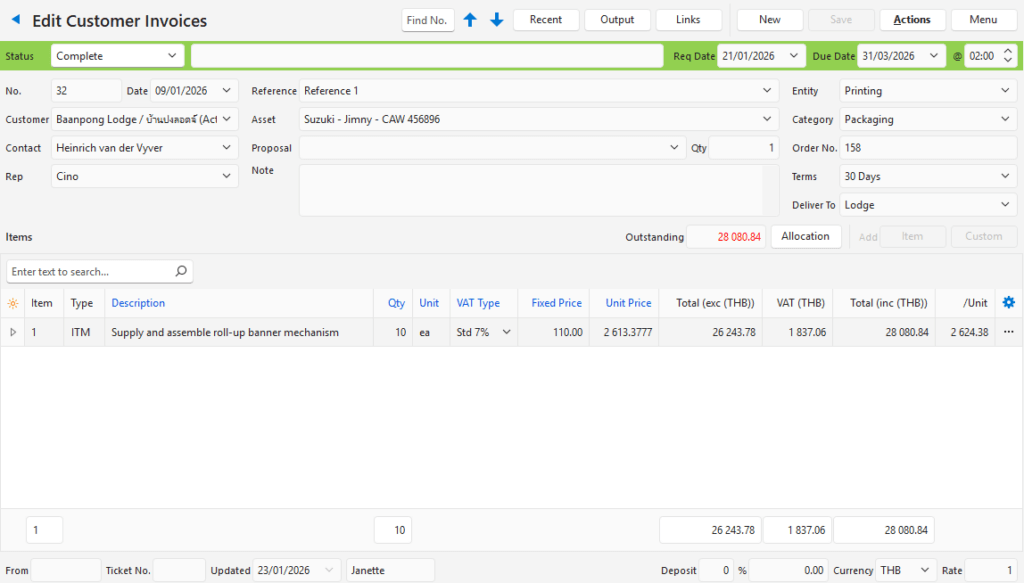
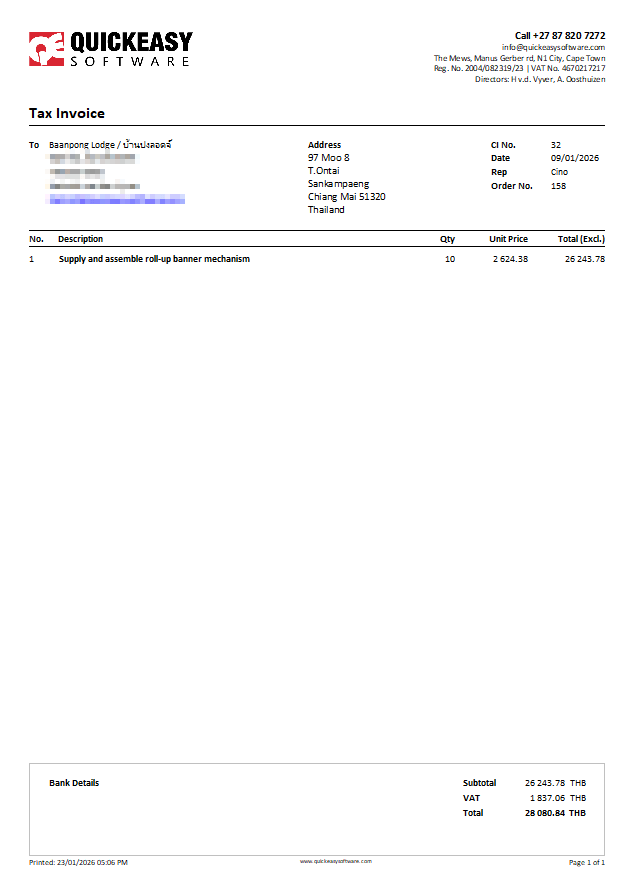
- Customer Invoices are used to invoice customers for goods or services.
- The line items of the invoice can be pre-created items with selling prices.
- Invoices can also have custom entries in which case the person creating the invoice must enter the information and prices when they create the invoice.
- You can specify a fixed ledger account (e.g. sales or service rendered) or allow bookkeepers to select the ledger account when entering the transaction. These decisions must be made when you create the Transaction Type. If you want bookkeepers to select the ledger account, it is necessary to add the account to be credited (Cr Account) from the field chooser and save the grid layout because the column is hidden by default. (The customer account is debited.)
Customer Credit Notes
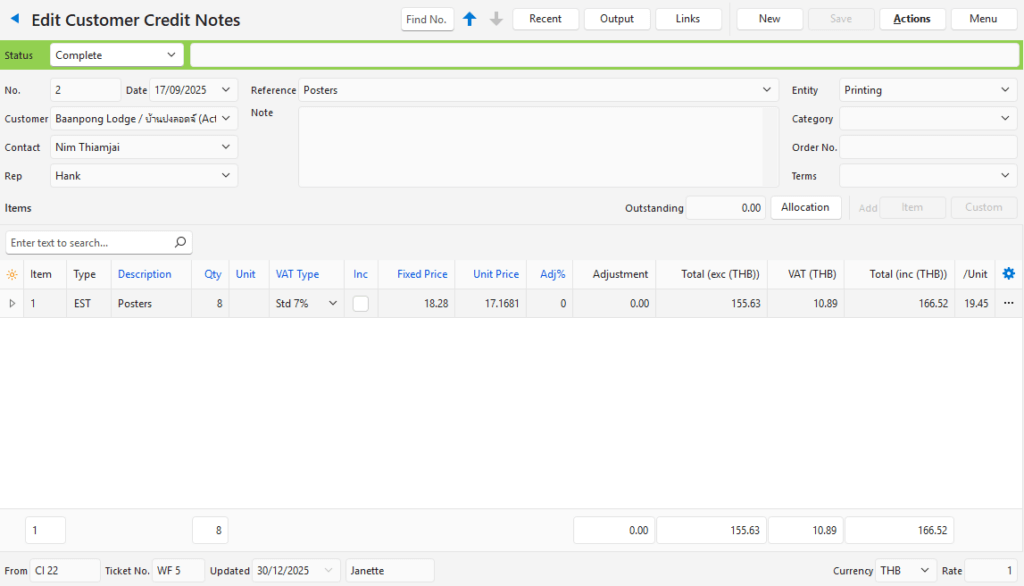
- Customer Credit Notes are used when customers are offered a discount or price reduction after receiving an invoice, or have returned goods.
- The billing information can be pre-created as items with selling prices.
- Credit notes can also have custom entries in which case the person creating the credit note must enter the information and prices when they create the credit note.
- Typically credit notes are copied from customer invoices to ensure the same accounts are debited and credited.
Customer Delivery Notes
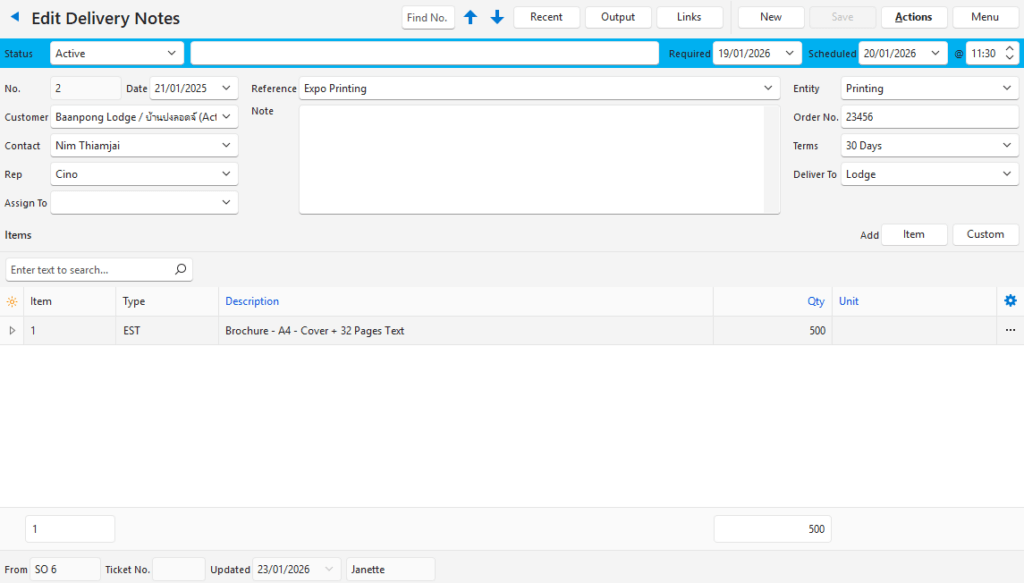
- Delivery Notes are used when delivering goods to customers.
- Delivery notes do not apply if you offer a service.
- It it possible to issue a combined invoice and delivery note by including the delivery address on the invoice. The invoice template can also be edited to indicate it is a combined delivery note and tax invoice. In this case, you do not need a transaction type for delivery notes.
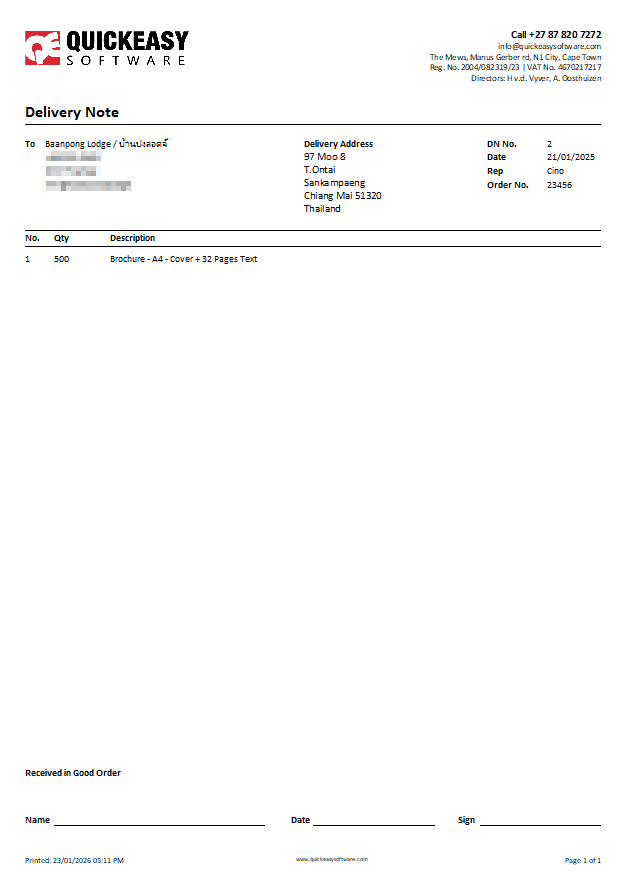
- The example screenshot is of a delivery note that does not show any prices.
- Typically, Delivery Notes are copied either from Sales Orders or Customer Invoices.
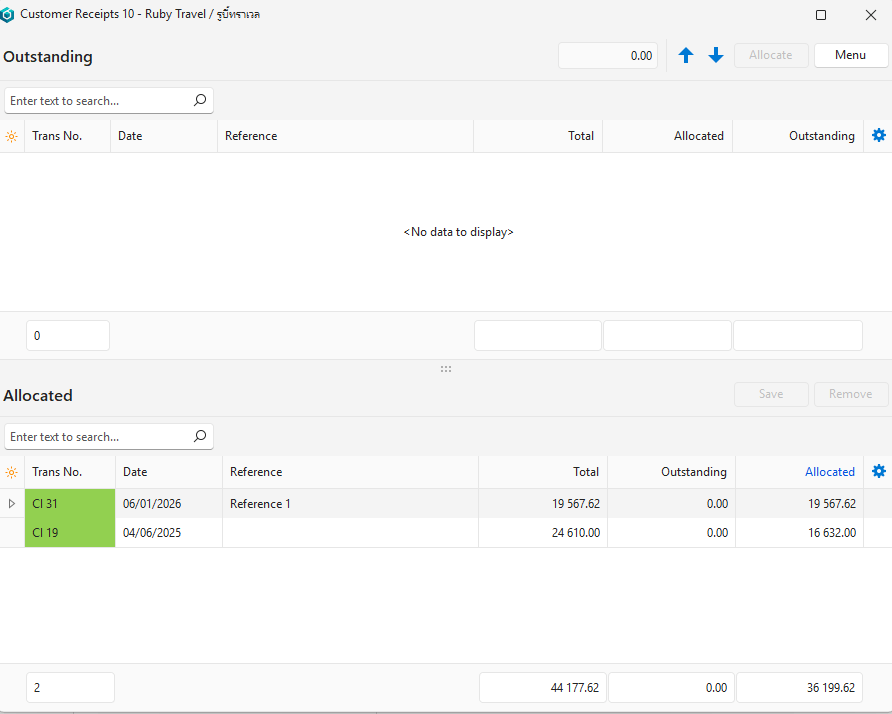
Customer Receipts
- Customer Receipts are used to record payments from customers.
- If you have bank accounts in multiple currencies into which you receive customer receipts, you should create a Customer Receipts transaction type for each currency.
- There is an example of how to record a transaction if your customer pays in a foreign currency which is deposited into your local bank account.
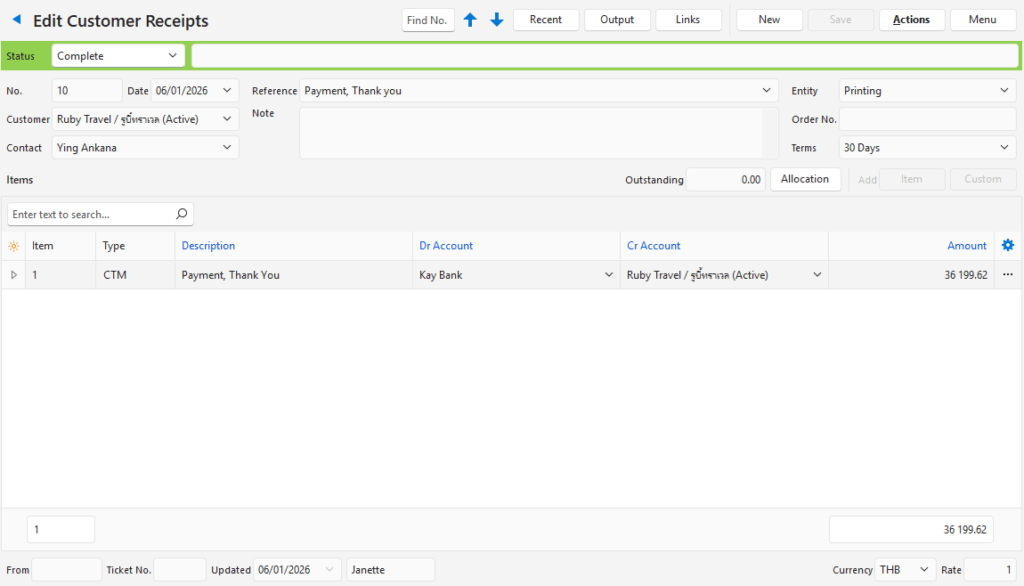
Allocating the receipt to invoices: