
Items and General Ledger Transactions
To speed up and control how general ledger transactions are captured, items can be created for ledger entries with default accounts that should be debited or credited. For transactions that are repetitive (e.g. depreciation), the amounts can be entered as either fixed or unit costs.
How to setup Transaction Types to use Ledger Items
- Navigate to Transaction Types (e.g. Main Menu > Setup > Transaction Types).
- Click New (button) to create a Transaction Type or double-click an existing Transaction Type to edit it.
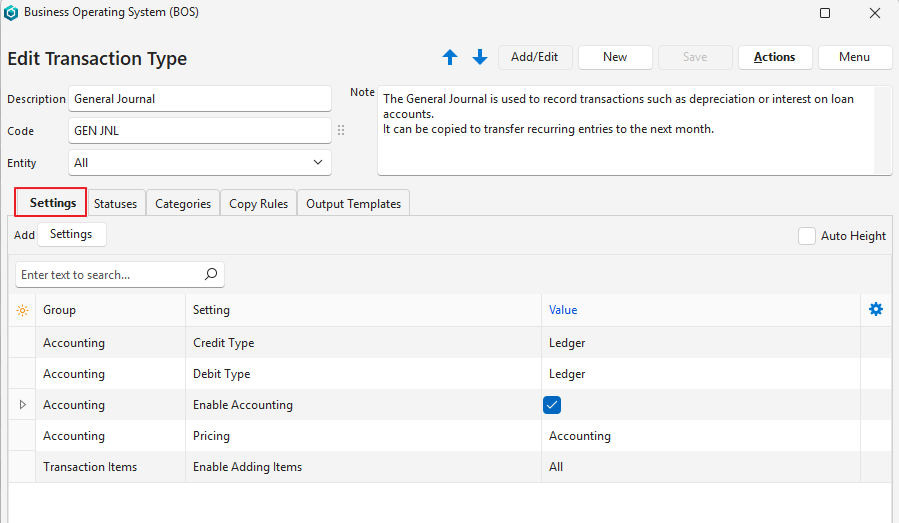
- Click Settings (tab) and complete the settings as per the screenshot below. Add any of the other settings as needed (e.g. Default – Data Filter).
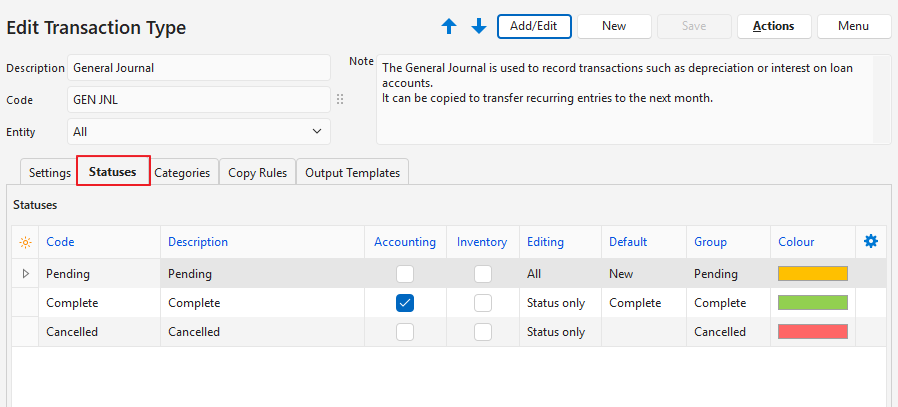
- Click Statuses (tab) and complete the settings as per the screenshot below. You may add more statuses if you wish.
- Complete the other tabs as per your preference. See Transaction Types for more information.
How to Create Items for the Transactions
Creating a category makes it easier to find and distinguish these items. It serves no other purpose.
How to Create a Category for the Items
- Navigate to Items (e.g. Main Menu > Setup > Items).
- Click Menu (button) > Edit Categories.
- Click Add/Edit (button).
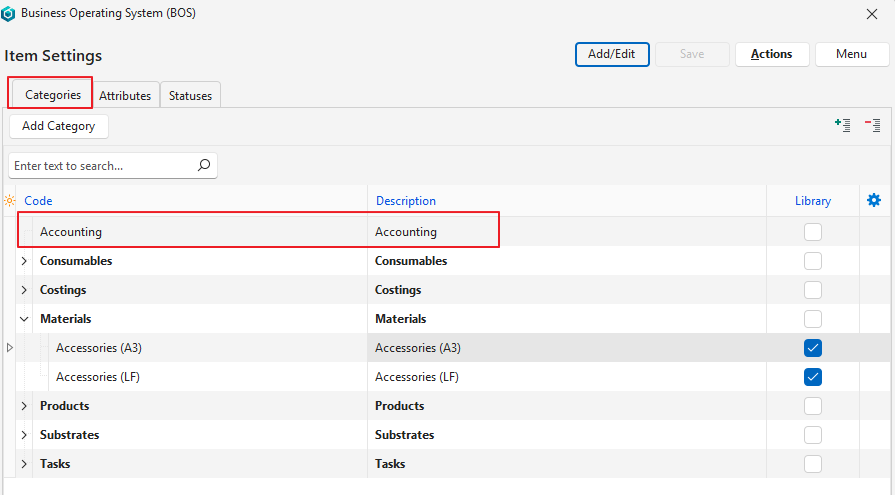
- Click Add Category (button).
- Complete the new row as follows:
- Code = Accounting.
- Description = Accounting.
- Library = Unchecked.
- Click Save (button).
How to Create the Items
- Accept the defaults for fields not mentioned here.
- Repeat this step to create as many items as you need. (Replace the Description and Code as needed.)
- Navigate to Items (e.g. Main Menu > Setup > Items).
- Click New (button) > Standard (MAT).
- Complete the header as follows:
- Description = Depreciation.
- Code = Depr.
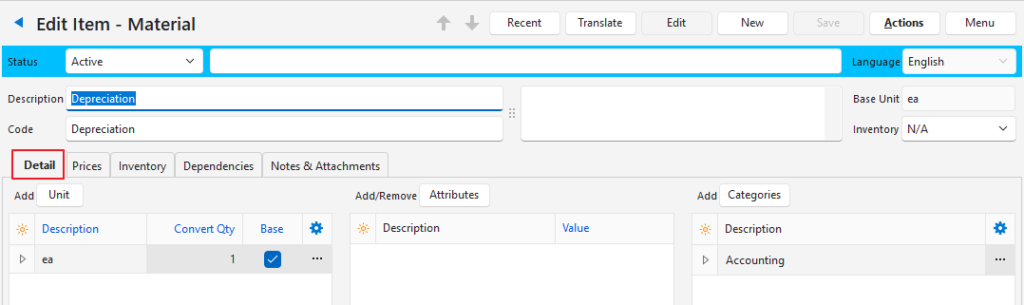
- Complete the Detail tab as follows:
- Click Categories (button).
- Click Accounting.
- Click Select (button).
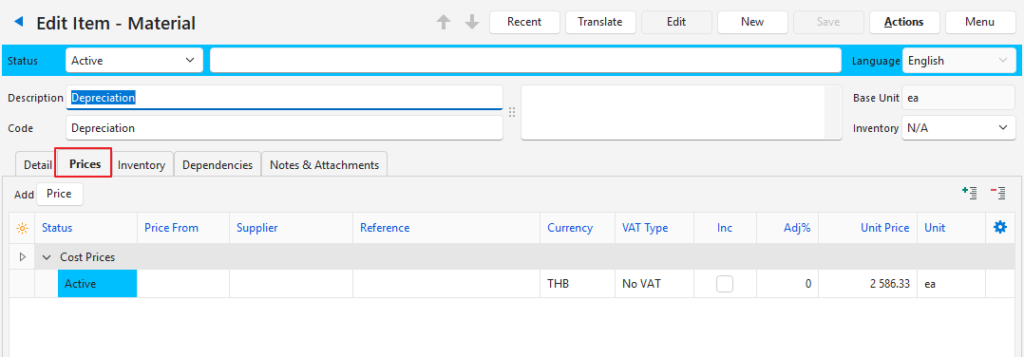
- Click Prices (tab).
- Click Price (button) > Cost.
- In the Unit Price column enter the amount that must be captured.
- Click Save (button) unless it is greyed out.
- Click Menu (button) > Edit Transaction Defaults.
- Click Add/Edit (button).
- Select General Journal from the dropdown list of Transaction Types.
- Dr Account = Select Depreciation Expense (or similar expense account).
- Cr Account = Select Accumulated Depr (e.g. Machinery Acc Depr or similar non-current / fixed asset account).
- Click Save (button) unless it is greyed out.
How to Record Transactions
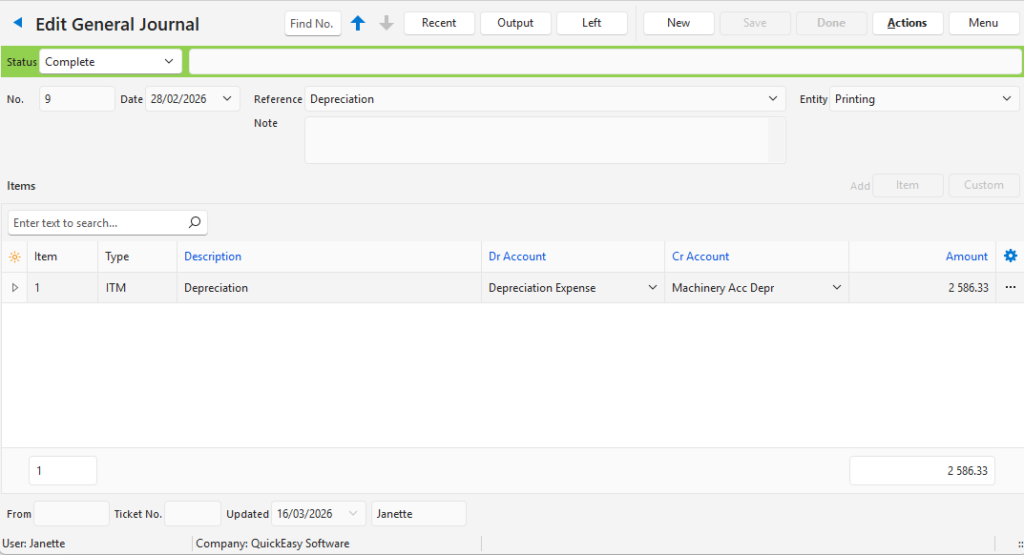
The accounts can be changed, and the amount edited. However, for purposes of this example, no changes were made from the defaults.
- Navigate to the Ledger.
- Note: The navigation depends on where you added it (often under the Accounting heading).
- Click New (button) > General Journal.
- Complete the transaction as follows:
- Date = Select the applicable date from the dropdown list.
- Reference = Depreciation.
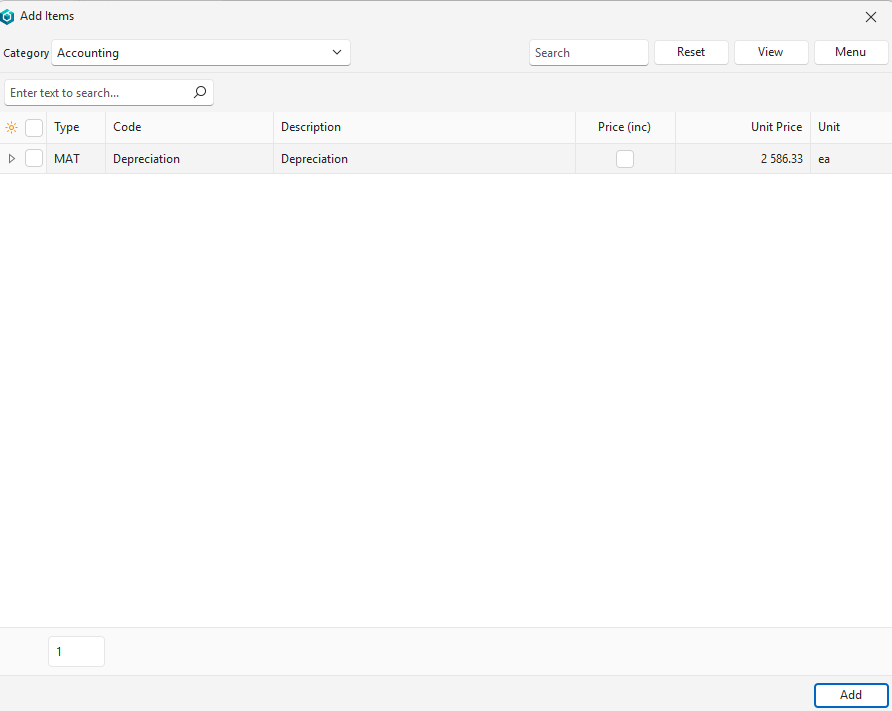
- Click Item (next to Add).
- Click the arrow on the Categories dropdown list and click Accounting.
- Click View (button) to display a list of items.
- Click Depreciation on the list of items.
- Click Add (button).
- Close the popup.
- Click Done (button).
Learn More
- Transaction Examples – Ledger: Brief explanations and screenshots of bank payments, bank receipts, and various journal entries.
- Transactions: Topics that deal with creating transactions and the related functions.
- Transaction Types: Topics that deal with the environment for capturing transactions.
- Transaction Type Examples – Ledger: Examples of bank transactions, general, payroll and periodic journals.