
The Best Production Planning Software for Make-to-Order Manufacturers
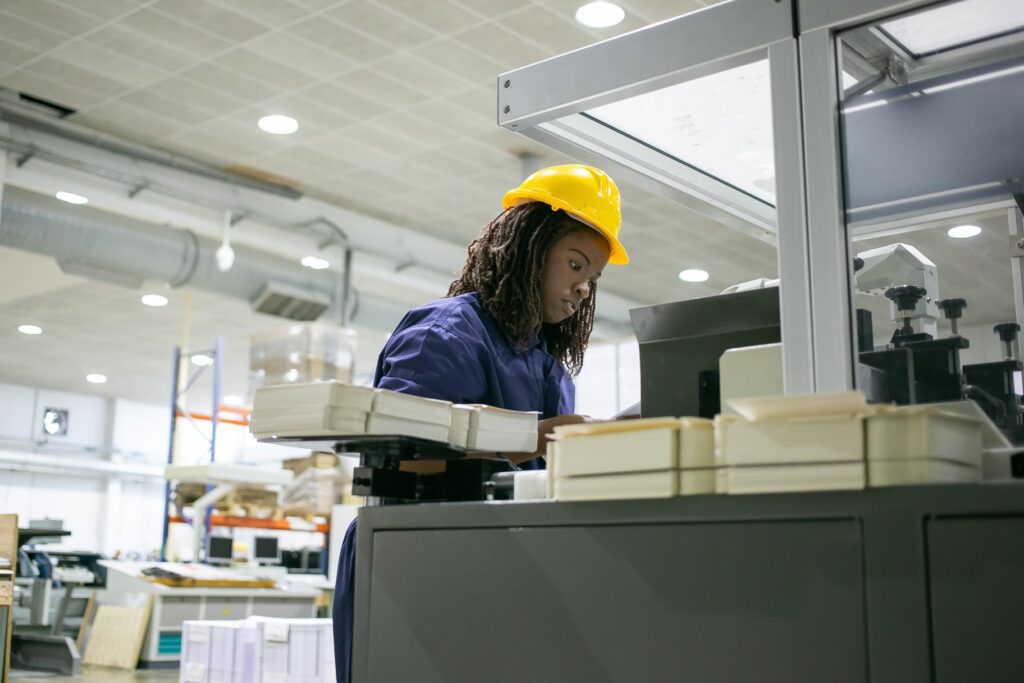
The best production planning software for make-to-order manufacturers is a system that makes custom manufacturing profitable and easy to manage. QuickEasy BOS’s production planning module helps make-to-order manufacturers turn a confirmed customer requirement into a profitable production job with clarity and control. The customer, product, quantity, and due date are connected to the relevant bill of materials, routing, work centres, material requirements, job cards, and production costs. As the work moves through the factory, your team easily tracks progress, captures operator time, records completed and spoiled quantities, manages quality issues and compares the final result with the original estimate.
Production planning forms part of the wider QuickEasy BOS manufacturing ERP system. This connects the production job to all of the other business processes in your business. For make-to-order manufacturers, that connection is important.
Skip ahead: I want to see QuickEasy BOS
What is make-to-order manufacturing?
Make-to-order manufacturing means that production is driven by a confirmed customer requirement. You may manufacture a completely custom product, adapt an existing design, or produce a standard item in a customer-specific size, quantity, material or finish. The work only moves into production once the requirement is known.
Make-to-order manufacturing is common in industries such as:
- Printing industry
- Packaging
- Signage
- Engineering and fabrication
- Furniture manufacturing
- Jobbing and job shop manufacturing
- Bespoke manufacturing
A printer may produce the same type of brochure for different customers, but each job can have a different quantity, paper stock, artwork, colour requirement and finishing process. An engineering business may manufacture a component according to a particular drawing, material grade and delivery date. The routing could include cutting, machining, welding and inspection, with several other customer jobs competing for the same work centres.
These jobs can’t be managed effectively with just a production schedule. Your team needs accurate information about materials, capacity, progress, quality, and cost if you hope to be profitable.
What should production planning software for make-to-order manufacturers manage?
Production planning software for make-to-order manufacturers should help you answer six questions:
- What exactly must be produced?
- Which materials and components are required?
- Which production stages and work centres will be used?
- When can the job realistically be completed?
- Where is the job currently?
- Did the completed job cost what you expected?
QuickEasy BOS brings this information into one production workflow. Your team can use the system to manage production requirements, BOMs, routings, work orders, job cards, material requirements, work-centre loading, shop-floor activity, operator time, completed quantities, spoilage, NCRs and estimated-versus-actual costs.
Related: What Is an NCR in Manufacturing? How to Manage Quality Issues in QuickEasy BOS
Why QuickEasy is the best system for profitable production planning in make-to-order manufacturing
Turns the customer requirement into a production job
Make-to-order production begins with a clear handover. Production needs to know which customer the job is for, what must be made, the required quantity and the agreed due date. The job may also need specific product information, production notes or routing instructions.
In QuickEasy BOS, the production requirement is linked to the correct customer, product, quantity, due date, materials and operational information from the start. This gives sales, production and management a shared production record. Your team does not have to rebuild the job from separate emails, spreadsheets, quotations, handwritten notes and WhatsApp messages.
The benefit is especially clear when you manage several customer-specific jobs at the same time. Each job has its own requirement and due date, but all jobs draw on the same factory resources.
Explore: The Best Production Planning Software for Small Manufacturers in South Africa
Defines the materials and production route
A bill of materials, or BOM, defines what goes into the product. A routing defines how the product should move through production.
QuickEasy BOS supports BOMs and routings for components, subassemblies, recipes, repeat products, customised jobs and different production paths.
For a make-to-order job, the BOM gives your team a structured view of the expected raw materials, components and consumables. The routing identifies the production stages and work centres that must be completed.
The BOM helps the production team answer know:
- What material should be issued to the job
- Which departments or machines are required
- In what order should the work happen
- Which stage is likely to create a bottleneck
- What quantities and costs were originally expected
Some make-to-order businesses produce similar jobs repeatedly. Others handle a higher level of variation. In both cases, structured BOMs and routings give the planner a better starting point than rebuilding every production plan manually.
Checks material requirements before production starts
A production job cannot move according to plan if an important material or component is unavailable. This is a common make-to-order problem. The job has been confirmed, the customer has been given a date and capacity has been allocated. Production then discovers that material is missing, committed elsewhere or still on order.
QuickEasy BOS connects production planning to inventory and procurement.
The production team can work with visibility over raw materials, components, consumables, work in progress and finished goods.
Purchasing can also see upcoming material demand, shortages, supplier requirements and outstanding orders earlier in the process.
This gives your team more time to deal with:
- Supplier lead times
- Imported materials
- Outstanding purchase orders
- Alternative suppliers
- Urgent requirements
- Material cost changes
For a custom job, one unavailable component may stop the entire order. Earlier material visibility reduces the risk of finding the problem only when the job is due to start.
Schedules make-to-order jobs around shared capacity
Several customer jobs may need the same machine, department or skilled operator. A production plan may look achievable when each job is viewed separately. The pressure becomes visible when all the work is loaded against the same work centres.
QuickEasy BOS gives your production team visibility over work-centre loading. This helps planners see where work is building up and where several jobs are competing for limited capacity.
You can then make better decisions about:
- Job sequencing
- Delivery commitments
- Labour allocation
- Overtime
- Outsourcing
- Production priorities
Consider an engineering business with five active customer orders. Each job may follow a different route, but three of them require the same welding work centre during the same week. If that pressure is identified early, the planner can adjust the sequence or take action before all three jobs become late. The same principle applies in printing, packaging, signage and furniture production. The bottleneck may be a finishing machine, cutting department, assembly area or another constrained stage.
Issues work orders and manufacturing job cards
Once the plan has been prepared, the factory needs clear production instructions. QuickEasy BOS supports work orders, job cards and routing forms as part of the production workflow. Depending on the way your system is configured, the production document can include information such as the customer, product, quantity, due date, materials, routing steps, work centres, special instructions and operator notes.
This gives the factory a clearer record of what must be produced and how the job should move through each stage. For make-to-order businesses, accurate job documentation also helps prevent the requirements of one customer order from being confused with another. A small difference in material, dimension, quantity or finishing can affect the whole job.
Tracks jobs while they are on the factory floor
A due date is difficult to manage when the system only shows that a job has been released into production. QuickEasy BOS supports shop-floor job tracking, timekeeping and operator tracking. Your team can capture job progress, operator activity, time, quantities and status while the work is moving through production. Completed and spoiled quantities can also be recorded against the production job.
This helps production managers see:
- Which jobs have started
- Which production stage has been reached
- Who is working on the job
- How long the work is taking
- What has been completed
- What has been spoiled
- Which jobs may be late or stuck
Sales and customer-facing teams also gain access to better operational information. Instead of asking someone to walk through the factory and find the job, they can work from the production status recorded in the system.
Gives you a clearer view of work in progress
Work in progress, or WIP, includes jobs that have started but have not yet been completed. In a make-to-order environment, WIP can build up between production stages. A job may be waiting for a machine, material, inspection or the completion of an earlier operation.
QuickEasy BOS connects job progress to wider production, stock, costing and reporting information.
This helps management identify which jobs are moving, which are waiting and where attention is needed. Better WIP visibility also helps you assess how much material, labour and production effort has already gone into an unfinished customer order. Without this information, a business may know that a job is somewhere in the factory but still be unable to explain its status, delay or current cost.
Records spoilage, NCRs, and rework against the job
Make-to-order profitability is affected by more than the quantity that was successfully completed. Material may be spoiled. Units may be rejected. A production step may need to be repeated. An error may result in additional labour, machine time or material usage.
QuickEasy BOS supports completed and spoiled quantity capture, non-conformance reporting and quality-control functionality. Production issues can be linked back to the relevant job and related corrective actions.
This creates a production record that shows what happened rather than only showing the final completed quantity. It also gives management better information for identifying repeat problems. If the same process, product, material or work centre is repeatedly associated with spoilage or rework, the pattern can be investigated.
Compares estimated and actual job costs
A make-to-order job may appear profitable when it is quoted. The final margin depends on what happens during production. QuickEasy BOS helps you compare estimated and actual quantities and costs. This allows you to review whether the job used more material than expected, took longer than planned or incurred additional spoilage and rework.
You can see where the actual result moved away from the estimate and use that information to improve future quotations and production plans.
For example, a custom job may have been estimated using:
- A set material quantity
- Four hours of labour
- A planned routing
- An expected spoilage allowance
- A target overhead recovery
If the job takes six hours, uses additional material and includes rework, the original margin may no longer be achieved. When production activity and costing are connected, you have a better basis for explaining that difference.
When should a make-to-order manufacturer move beyond spreadsheets?
Spreadsheets may work while production is simple and the number of active jobs is low. They become harder to control as the business grows.
You may need connected production planning software when:
- Different departments work from different versions of the job information.
- Material availability must be checked manually.
- Production dates are promised without capacity visibility.
- Job cards are created or updated outside the main system.
- Customer-specific instructions are easily missed.
- Bottlenecks only become visible after jobs are already late.
- WIP is difficult to locate and value.
- Operator time is captured after the work has happened.
- Spoilage and rework are not linked to the affected job.
- Actual job costs are only reviewed after delivery.
- Production planning depends heavily on one experienced employee.
QuickEasy BOS brings these areas into the same operating system as inventory, procurement, costing, accounting and reporting.
Is QuickEasy BOS suitable for your make-to-order business?
QuickEasy BOS supports make-to-order, jobbing, job shop, engineer-to-order, bespoke and mixed manufacturing environments. It can be configured around different products, BOMs, routings, work centres, production documents, workflows and reporting requirements.
This makes it suitable for manufacturers that need more control over custom and customer-specific jobs, including businesses in printing, packaging, signage, engineering, fabrication and furniture production.
The system is particularly relevant when you need to connect four areas that are often managed separately:
- The customer requirement
- The production plan
- The materials and factory activity
- The final job cost
Book a QuickEasy BOS production planning demo
Take us through one of your typical make-to-order jobs. Show us how the customer requirement is received, how materials are checked, how the job moves through production and how you currently work out the final cost. We will show you how QuickEasy BOS can connect the order, BOM, routing, materials, work centres, job cards, shop-floor progress, WIP and costing in one ERP system.
Book a QuickEasy BOS demo and see how your make-to-order production workflow could be managed with clearer information from order confirmation to final margin.
FAQs
What is the best production planning software for make-to-order manufacturers?
It is software used to plan and control production jobs created for confirmed customer requirements. It should connect the required product and quantity to materials, routings, work centres, job progress and cost.
Can QuickEasy BOS manage one-off and repeat production jobs?
QuickEasy BOS supports repeat products, customised jobs, different production paths, make-to-order manufacturing and jobbing environments. BOMs, routings, work orders and job cards provide a structured way to manage the work.
How do you plan production when every customer order is different?
Start by linking the correct customer, product, quantity and due date to the production requirement. The relevant BOM, routing, material needs, work centres and production instructions can then be managed against that job.
Can QuickEasy BOS show where a production job is?
QuickEasy BOS supports shop-floor job tracking, operator tracking, timekeeping and production status capture. This helps your team see what is being worked on, how long it is taking and where the job stands.
How do you track the cost of a custom manufacturing job?
QuickEasy BOS connects production activity to costing and supports estimated-versus-actual quantity and cost analysis. You can review material usage, labour, time, spoilage, rework and the effect on job profitability.
Does QuickEasy BOS manage production quality issues?
Yes. QuickEasy BOS supports NCR and quality-control functionality. Production issues, non-conformances and corrective actions can be linked to the affected job.
Can QuickEasy BOS connect production planning to inventory and purchasing?
Yes. Production planning connects to inventory and procurement, giving your team visibility over materials, shortages, upcoming requirements, supplier orders and replenishment needs.